 EN
 NO
 DK
 SE
 DE


We offer two services at selected Pick-Up-Points:
one you can find at the desk in the cashier, and
the other one is placed on the wall inside the Pick-Up-Point.
See our step-by-step guides below.

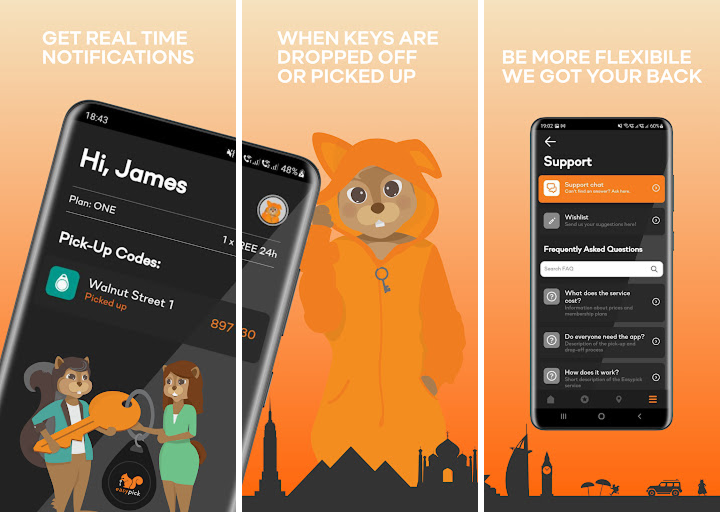
Key sharing has never been easier: simply attach your keys to the Easypick Chip, drop them off by scanning the chip at an Easypick Terminal, and then pick them up later using the Pick-Up Code sent to your Easypick App.
With Self-service Locker, a physical locker is booked through the Easypick App. Share and let others collect with the Access Link.



A Pick Up Point location. The place where you can pick up or drop off a key or a thing.

A location with over the counter service. You will find the terminal in the cashier area.

A Chip, you can buy this at the pick-up-point and activate it using the terminal. Attach chip to keyset. Send pick-up codes through the app.

Self service locker at this pick up point. Share access link to open up locker for guest.

Share things on selected locations with easypick THING services. Select between Small or Large items. Use the Easypick terminal.

A locations that opens 24 hours each day. Some days could differ throughout the year.





An Easypick chip is a passive RFID receiver that contains your unique digital identity.
First, buy and activate a CHIP at one of our Pick-Up-Points. Next, attach the CHIP to the keychain, and drop it off by scanning it on the Easypick terminal. Finally, share the Pick-Up Code in this app with the person who will pick up the key. Enter the Pick-Up Code on the terminal to pick up the key.
Go to your nearest Pick-Up-Point, buy a chip and activate it on the terminal. The chip will automatically appear in the app.
All chips must be activated in the terminal. Chips that are not activated in the terminal are inactive and will not provide access to the Easypick app and service. Press “NEW CHIP” on the screen in the terminal and place the chip at the opening in the bottom of the terminal. Follow the simple on-screen instructions. The instruction can be displayed in either Norwegian or English.
A chip can only be used to drop off a key, so nobody else can misuse it. If you still want to deactivate your chip:
Deactivating cancels the chip’s plan and deletes its Pick-Up-Codes, including any fixed Pick-Up-Code. You can turn the chip back on with “Activate CHIP”.
Yes, this is free of charge. The recipient must already have an Easypick account with a payment method.
The chip moves to the recipient straight away. If it is on UNLIMITED, the recipient takes over the cost. The key can’t be at a Pick-Up-Point during the transfer, and chips on ANNUAL can’t be transferred yet.
No! Your keys can be in storage as long as you wish at any location. However, please be aware that if you do not have an Easypick UNLIMITED subscription you will be charged NOK 49 for each initiated 24-hours of storage time. Please see Membership plan under Account Settings in this app for more info.
Yes, the chip can be used on all Pick-up points that offer Easypick service. Please see locations here.
No, you only need the Pick-Up Code to pick up the key, and only the CHIP to drop it off again. Only the owner of the key needs to have the app in order to manage the Pick-Up Codes.
No, only the key owner needs to download the app. You only need to manage and send a simple pick-up code to the person who will pick up the keys and you´ll receive a simple push notification in the app when your keys has been picked up. You can choose the notifications via Push (free), email (free) or SMS (5,- NOK per sms)
You can try the following solutions:
Press “Forgot password” and follow the instructions described in the app.
You can’t change the number on your account yourself. Contact customer support at support@easypick.no or +47 23 65 33 01 and we’ll help you.
Open the app, tap the burger menu at the bottom right, choose “Account settings” and scroll down to “Delete account”. Tap “Delete account” and confirm.
Yes, you can deliver your keys at all Pick-Up Points that offer the Easypick service.
No worries, leave your keys, with chip, as normal to the staff and let us know through the support for Easypick, and we´ll assist you. If the key is to be picked up, contact us, and we will assist with remote assistance. We will ask for identification when the keys are retrieved.
Opening hours may vary between locations and can change during weekends, public holidays and other holiday periods.
We recommend checking the store’s current opening hours before dropping off or collecting your keys. To avoid any issues, please make sure to collect your keys well before closing time, preferably at least 2 hours in advance.
If you’re unsure about the opening hours, please contact the store directly to confirm.
Consists of a 6-digit code that you will find inside the Easy Pick app. In the main menu, tap “My keys” and select your chip. New pick-up codes are automatically generated in the app when handing in keys with a chip on Pick-Up-Points.
Yes, go to the section for “my keys”, tap on your chip and press the orange button “pre-generate pickup code” – send the pickup code with a link to the user.
Yes, on ONE, ANNUAL and UNLIMITED. A fixed Pick-Up-Code is a separate monthly subscription on top of your plan, and is available for chips but not lockers. In the app, open the key page, tap the “More options” button, then tap “Get a fixed Pick-Up-Code” and follow the steps.
These are the steps on how to use the service.
For new users:
You need to download the app and select a subscription that suits your needs either DAILY, MONTHLY or YEARLY subscription. You can visit the pricing for detailed information.
You can store keys or any portable things.
There are two subsription for this service: SMALL and LARGE. SMALL for a carrier bag size and as for LARGE for a larger carrier bag. For more information, you can visit the Pricing page.
There are two subsription for this service: SMALL and LARGE. For SMALL, it only cost 39,- NOK and for LARGE costs for 79,- NOK. For more information, you can visit the Pricing page.
Please contact Easypick Support by sending message to support@easypick.no or make a call to +47 23 65 33 01
You will receive a Push / Email stating that you have kept over the max limit of more than 14 days and will be asked to pick up the item immediately. On exceeding storage times will your object be delivered to your local lost property office. Please note that the location and Easypick may charge an administration fee for removing the item from the location.
If you’ve lost your keys and they have an Easypick Chip attached, there’s still a chance they may be returned to you.
The back of the chip includes a message asking anyone who finds your keys to contact Easypick. When someone contacts us about a found set of keys, we register the information in our system and follow up to help reunite the keys with their owner.
If your keys are found and handed in at one of our Pick-Up Points, you may receive a push notification letting you know where to collect them.
What should you do?
Contact Easypick Support and let us know that your keys are missing. We’ll do our best to help.
Your personal ID and account information remain safe, even if you lose your chip.
When using our Pick-Up Points, we recommend keeping your key set as simple and minimalistic as possible. Ideally, it should consist of only 1–2 keys and an Easypick Chip attached to your keychain.
As stated in our User Terms, keys must not contain any personal information or markings that could identify you, your address or what the keys are used for. This is an important security measure that helps protect your privacy and keep your keys anonymous.
All keys are kept safe and secure in our key cabinets of steel that are mounted on the wall behind the cashier. The key cabinets are only operated by staff and the staff is responsible for handing over the keys.
Yes, Easypick never stores your card information. You can rest assured after you delete your profile, all details will be removed.
Each user has a unique account which they can only access with their credentials such as phone number and passwords. Keep your credentials private and secure, don’t share them with anyone else.